
WildTrack Roadbook Studio
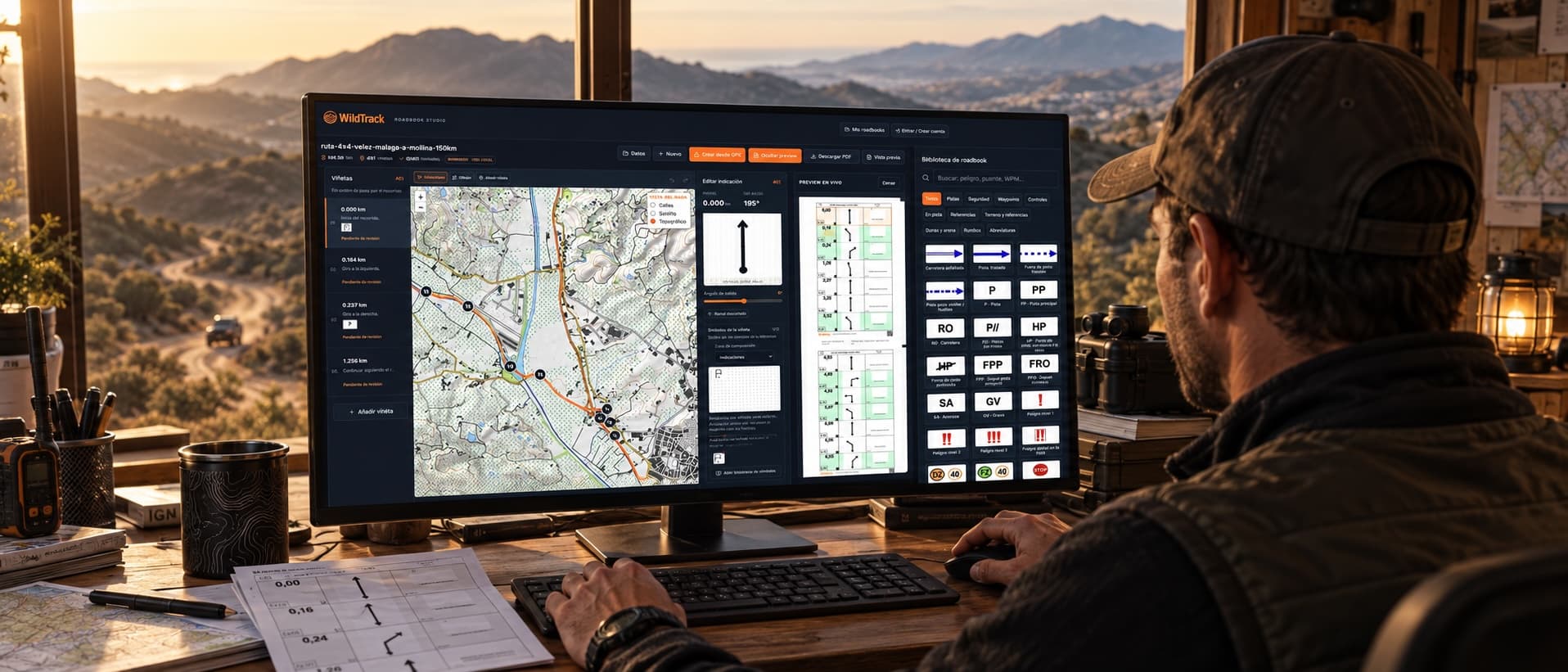
The web editor with automatic tulips, FIM symbols and PDF export with QR. Import a GPX and have your roadbook ready to ride in minutes.
Official FIM symbols
WildTrack icons
Boxes per A4 page
In the browser
Everything inside the Studio
Designed with and for rally, enduro, trail and 4x4 riders. No corporate filler. Just what you would actually use on rally day.
Import GPX
Any standard file up to 10 MB and 50,000 points. Compatible with Wikiloc, Komoot, Garmin and Google Maps. Waypoints are marked as references.
Automatic tulips
The editor detects turns in your GPX and generates a draft with distances, headings and boxes. Choose the level of detail: minimal, balanced or maximum.
FIM and WildTrack symbols
286 official draggable icons: hazards, track types, time controls, direction changes, petrol stations, water. The full rally motorbike standard.
Professional A4 PDF
7 boxes per page, header with stage data, footer with QR to mobile. Ready to print and slot into the roadbook holder.
QR to mobile
The exported PDF carries a QR in the footer. Scan it with your phone and open WildTrack to navigate the roadbook with GPS auto-scroll and offline map.
100% in your browser
GPX and PDF are processed on your device. Nothing is uploaded to our servers unless you choose to save to your account or publish to an event.
It is that simple
From GPX to a PDF ready to ride. Four steps.
Import your GPX
Drag the GPX into the editor. Track, waypoints and a draft of boxes are drawn automatically.
Tweak the boxes
Reorder, edit tulips, drag FIM symbols and add notes with live preview.
Export PDF
Download the A4 PDF with QR in the footer. Ready for the roadbook holder or to ride.
To mobile
Scan the QR with the WildTrack app and navigate the roadbook with GPS auto-scroll.
WildTrack Roadbook Studio vs Rally Navigator
Compared with the best-known alternative for building rally motorbike roadbooks.
| Feature | WildTrack | Rally Navigator |
|---|---|---|
| Web editor (nothing to install) | — | |
| Free for personal use | — | |
| No signup required to start | — | |
| Tulip and box editor | ||
| Official FIM symbol library | ||
| Export roadbook PDF | ||
| Native English interface | ||
| Companion mobile app | ||
| QR to mobile embedded in the PDF | — |
Data compared in September 2026 against the public documentation at rallynavigator.com. Rally Navigator is a desktop application with subscription plans.
From PDF to mobile with a QR
Every PDF you export carries a QR in the footer. Anyone who scans it with their phone opens WildTrack to navigate the roadbook with GPS auto-scroll, offline map and automatic alerts. Perfect for sharing with your group or the riders in your rally.
Frequently asked questions
Everything you need to know before you start.